

Backing Up Your Server Alone
May Still Lead To Data Loss
Most business owners know that it is important for their server(s) to be backed up. But what about your computers (desktops, laptops, Macs)? Though it’s true that quite a bit of your data is stored on your servers and backed up on your network, your computer itself (your icons, your background, all of your settings, your local files, music and pictures you have stored, and all of your software applications) is most likely NOT being backed up.
If your computer were to crash, get a virus, or simply die, all of that information could be lost. The company data that you’ve saved to your server would still be there IF you are saving everything to your server (a big if for many people), but everything else would be gone. You would have to recreate that computer by reloading all of the software and settings. And if you’ve ever had this happen to you, you know that it can take a significant amount of time to do. What a pain!
So, How Do You Solve This Problem?
Simple. You use an imaging software on your computer that automatically takes periodic images of the machine and sends them offsite or to your server for safe keeping. Imaging software takes a “picture” or “snapshot” of your computer so it records it exactly as it is with all of the software, settings and local files you have on it. This way, if your computer ever crashes, there is no need to re-load everything onto it and reconfigure the computer. Simply restore your last “image” from before the crash and your computer can be back to its old self again. This is a huge time saver and can be a life saver when something goes wrong.
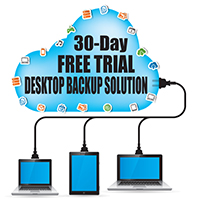
Protect Your Desktops And Laptops!
Simple. You use an imaging software on your computer that automatically takes periodic images of the machine and sends them offsite or to your server for safe keeping. Imaging software takes a “picture” or “snapshot” of your computer so it records it exactly as it is with all of the software, settings and local files you have on it. This way, if your computer ever crashes, there is no need to re-load everything onto it and reconfigure the computer. Simply restore your last “image” from before the crash and your computer can be back to its old self again. This is a huge time saver and can be a life saver when something goes wrong.
Sign up a FREE 30 day trial to receive:
A FREE installation of our backup imaging software on up to five (5) desktops or laptops (Mac or PC).
A FREE (XX-Point Analysis) of your complete office backups to determine where your weakest links are and a complete report.
A FREE guide titled, “The 10 Disaster Planning Essentials For A Small Business Network.” This report outlines the key systems and steps you need to take to make sure your computer network is safe and can be accessed in the event of a disaster.
To secure your Free Trial, fill out the form to the right or
Call us at 0208 905 3333
Not Ready To Call Us Just Yet?
To help you get to know us better, I’d like to give you our FREE Law Firm Advisory Guide titled, The 7 Most Critical IT Security Protections Every Care Group Must Have In Place NOW To Protect Themselves From Cybercrime, Data Breaches And Hacker Attacks
This free guide will arm you with 7 revealing questions you should ask any computer consultant before giving them access to your firm’s network. Even if you aren’t ready to outsource your IT support or make a change, this report will give you the right information and questions to ask when the time comes.
Simply fill out the form here and we’ll send you a copy today!